

Get the setup right
Separate download, installation and first open so a problem at one stage does not send you back through every step.
Read the download guide →
Follow a straightforward setup guide, make sense of reward formats and learn to see the possibilities in a thirteen-card hand. Start with the question you want answered.
Download Rummy Loot Learn Rummy RulesExplore reward formats · Read event timing · Browse the guides

Rummy Loot guides bring the practical steps and the card game into one reading path. Each article handles a different part of the journey.
Separate download, installation and first open so a problem at one stage does not send you back through every step.
Read the download guide →Use the right sign-in method, handle a delayed verification code and recover access after changing phones.
Open login help →Follow an original thirteen-card example, then practise choosing between the cards that could complete it.
Learn the game →Explore Rummy Loot’s welcome offers, cashback campaigns and referral rewards from the account’s promotions area. Each reward has a clear purpose: helping a new member get started, adding credit after qualifying activity or recognising a completed invitation.
Open the cashback panel to see the reward attached to qualifying account activity. The offer shows its calculation period and credit schedule, while the wallet history records the cashback once it has been added.
After registration, check the welcome messages for a new-member offer. Follow its qualifying steps, claim the available reward and open the bonus balance to see how the credit can be used.
Use the referral page to share an invitation and follow the invited account’s progress. The campaign explains which steps complete the invitation and where the resulting reward appears in your account.
Reward amounts, eligible activity and expiry are shown with each promotion.
Open the promotion to see the eligible account, required activity and reward period. The app and rewards guide explains the steps from an offer to its reward record.
A campaign has more than one important date: the period in which you can qualify, the time the result is processed and the deadline for a claim. Keep those stages separate when an event announcement appears.
Read the event's entry conditions, qualifying activity and status. If a reward is pending, compare the stated processing period with the time of the recorded action. If a claim window has passed, a new announcement may belong to a different campaign.
For a scheduled game event, read the session length, scoring and tie rules before joining. Choose the time you want to spend independently of an offer threshold, and keep the relevant reference if you need help with one recorded event.
If setup stops, identify the stage and record the error message. It is easier to fix a specific transfer or installation problem than to repeat the whole process.
Download Rummy Loot App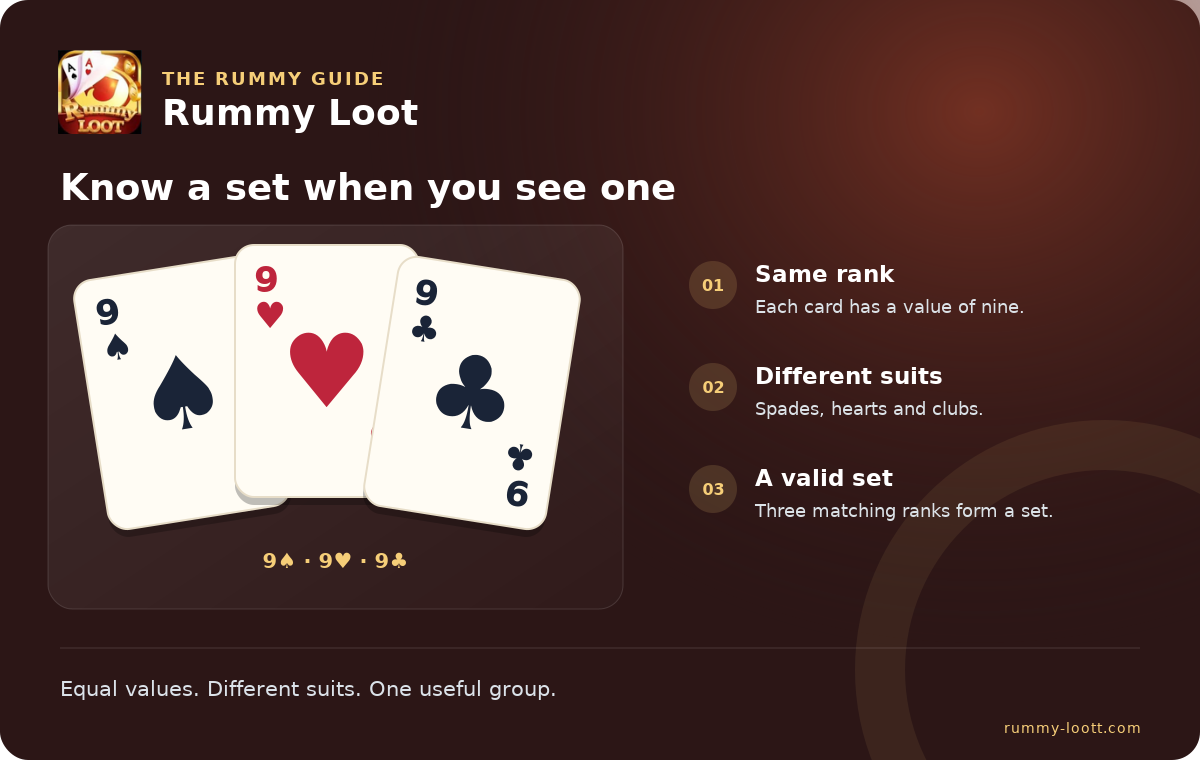
Use the mobile number, email or login method attached to your account. Registration creates an account; recovery helps restore access to one. If a code is delayed, confirm the destination and use the newest code for the current session.
A connection timeout and a rejected password need different checks. Our login and OTP guide gives each a clear route, while the navigation guide explains what to explore after access works.
A consecutive run in one suit. It provides the pure sequence required in a usual Indian rummy hand.
The joker takes the missing J♥ position. Name the card it replaces to make the arrangement clear.
Three jacks in different suits form a set. Keep the second-sequence requirement in view as you build the rest.
Follow all thirteen cards in the complete-hand lesson. When the groups make sense, practise the draw and discard examples.
Instead of asking whether a card is “good,” ask what job it can do in your hand. Does it complete the pure sequence, open a second route or simply sit beside another hopeful card?
Connected cards such as 7♦ 8♦ have two immediate ways to form a three-card run. A gap such as 7♦ 9♦ needs 8♦. The rest of your hand and visible cards can change which option is useful. This is the kind of concrete comparison explored in our beginner decision guide.
The download guide walks through device choice, completed transfer, installation, first open and updates. Start at the stage you have reached.
Open the promotion in your account to see its qualifying activity, conditions and claim period. Use reward history to follow a completed claim.
Confirm the destination number or email, wait for the resend timer and use the newest code for the current session. The login guide explains the next checks.
Yes. Arrange ordinary playing cards using the thirteen-card example, then replace one card and work out which draws would complete the hand.


